
Battery Replacement in Hamilton: A Complete Guide to Fast, Safe and Professional Battery Repair
In today’s era, the power source of all devices—smartphones, laptops, and tablets—is the battery. Over time, this battery weakens, can’t hold a charge, or the device may suddenly shut down at any time. In such a situation, the most necessary service is Battery Replacement in Hamilton. Battery replacement is an important tech service for those who use smartphones or laptops in Hamilton.
In this blog, we will learn about—the causes of battery failure, symptoms, when it is necessary to replace the battery, the battery replacement process, cost, and where to get this service safely in the Hamilton area.
Common symptoms of battery failure
When the device’s battery starts to weaken, there are certain symptoms. If you live in Hamilton and see any of the following problems, then you will know that you need to seek Battery Replacement in Hamilton service soon.
1. Fast charge drain
A device that used to charge for 10-12 hours earlier, now drains in 2-3 hours—this is the first sign of battery failure.
2. Sudden device shutdown
Is your phone or laptop shutting down even when it has 30–40% charge? Then the battery is no longer able to provide power properly.
3. Device overheating
If your device heats up quickly while doing personal or office work, the battery is weak or damaged.
4. Swollen battery
This is the most dangerous sign. If the battery is swollen, the device’s screen can rise up—and there is also a risk of explosion.
5. It takes a long time to charge
If the device charges slowly even with a fast charger, the battery is damaged.
Why does the battery die?
Users in Hamilton and other regions usually experience battery damage for the following reasons—
1. End of charge cycles
A smartphone or laptop battery usually lasts for 300-500 charge cycles. After that, its capacity gradually decreases.
2. Using the wrong charger
If you don’t use the original charger, the battery will quickly get damaged. Especially cheap chargers destroy the battery health.
3. Excessive use
Playing games, running WiFi/Hotspot for a long time or using heavy apps—puts extra stress on the battery.
4. Water ingress
If water enters the device, the battery can short-circuit and be damaged.
5. Software problems
Sometimes, software bugs or updates can drain the battery.
Battery Replacement in Hamilton – Why is it important?
Quick battery replacement is important for Hamilton users because—
1. Reduces safety risks
A swollen battery can explode at any time. So it is important to replace the battery without delay.
2. Improves device performance
When the battery is damaged, the device slows down, hangs, and overheats. Installing a new battery makes the device smooth again.
3. Increases backup
A laptop or phone can hold a charge for a long time.
4. Increases device lifespan
If the battery is changed on time, the device will serve you well for a few more years.
Battery Replacement in Hamilton – How much might it cost?
Battery replacement costs depend on:
Device model (Samsung, iPhone, Pixel, MacBook, etc.)
Original battery or OEM
Your specific service center
Original Battery vs OEM – Differences
Original Battery:
- Longer-lasting
- Faster charging
- Lower temperature
- Safer and less risky
OEM Battery:
- Comparatively cheaper
- Good performance, but not as long-lasting as the original
- When replacing a battery in Hamilton, be sure to check with a service center to make sure the battery is original.
- Battery Replacement in Hamilton – How is the process?
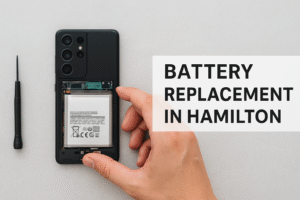
Although most people try to remove and replace the battery themselves, it is very risky. Professional technicians in Hamilton perform battery replacement in the following steps—
1. Turn off the device completely
Before removing the battery, the device is turned off.
2. Remove the back cover or bottom repair
The back cover of Samsung, iPhone or Motorola devices is glued, so a heat machine is used.
3. Remove the old battery
The battery is removed safely by disconnecting the connections.
4. Install the new battery
The original or high-quality battery is installed.
5. Seal the back cover
The device is properly sealed again and the temperature is tested.
This entire process is completed within 20–40 minutes.
Things to know before doing Battery Replacement in Hamilton
✔ Choose the right service center
Those with good reviews, experienced technicians.
✔ Make sure there is a warranty
Many service centers offer a 3–6 month battery warranty.
✔ Check if the battery is original
Do not use cheap batteries.
Things to do after battery replacement
🔋 Do not use the phone or laptop much for the first 3 days
🔋 Charge 100% and let it drop to 20%
🔋 Do not use in hot environments
🔋 Use the original charger
🔋 Avoid playing games or recording videos for a long time
If you follow these, the life of the new battery will increase further.
Battery Replacement in Hamilton – Where to get good service?
A quality battery replacement center should have—
✔ Certified Tech
✔ Original Battery Guarantee
✔ Warranty
✔ Clean and Safe Lab
✔ Fast Service (30 Minutes – 1 Hour)
Many repair stores in Hamilton provide this quality service.
Final Thoughts
Battery failure in a device is very common, but it can also be dangerous if neglected. Replacing the battery on time will help your phone, laptop or tab perform as before.
If you are in the Hamilton area and are looking for a reliable and safe battery replacement service—then Battery Replacement in Hamilton is undoubtedly the most important service for you.
Contact with us on whatsapp or call us +19055469898