
Professional Computer Repair: Reliable and professional solutions for your computer
The current era is technology-dependent. Computers are an essential tool in everything—office, business, and education. But like any electronic device, computers can also face various problems—such as slow performance, software crashes, virus attacks, hardware damage, or sudden shutdowns. When such problems occur, Professional Computer Repair services are needed for the right solution.
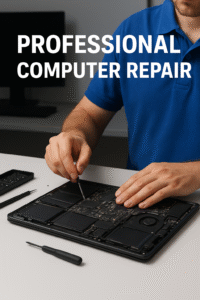
A professional computer technician can identify the problem correctly and repair it quickly, safely, and accurately. In this blog, we will see why it is important to get Professional Computer Repair services, which problems are usually fixed, and why professional repair services are cost-effective and profitable in the long run.
Why is Professional Computer Repair important?
Many people try to repair their computers themselves by watching YouTube tutorials. But if handled incorrectly, the hardware can be permanently damaged. That is why professional technicians should be consulted.
1. Identify the problem correctly
An experienced technician can find out where the problem is in just a few minutes. If you make a wrong diagnosis, you may spend money unnecessarily.
2. Repair with advanced tools
Professional Computer Repair Centers have various special tools—testing devices, circuit diagnostic machines, thermal paste applicators, heat guns, etc. These are not available to ordinary users.
3. Ensure data security
The most valuable thing is your data. Incorrect repairs can permanently damage data. Professional repair centers work to ensure data protection.
4. Save time
If you do the research yourself, you will waste time. But a professional can do the same job in a few minutes.
5. Long-term solution
If repaired properly, the computer will last a long time, so that problems do not arise again and again.
What problems are fixed at Professional Computer Repair Centers?
Below is a brief description of the most common computer problems and how to solve them.
🔧 1. Slow Computer or Performance Issues
When your computer is not working as fast as before, there could be various reasons behind it—low RAM, old hard drive, too many startup programs, cache buildup, or virus attack.
Solution:
- SSD Install
- RAM Upgrade
- Startup Cleanup
- Deep Optimization
🖥 2. Windows or macOS Problems
If the Operating System is damaged, problems such as boot loops, blue screens (BSOD), and files not loading can occur.
Solution:
- OS Reinstallation
- Boot Repair
- Driver Repair
- System Restore
🛠 3. Hardware Repair
If the internal parts of the computer—Motherboard, Power Supply, GPU, Cooling Fan—are damaged, Professional Computer Repair is very important.
- General Hardware Repair:
- Motherboard chip-level repair
- Power supply repair
- Graphic card servicing
- Fan cleaning & thermal paste replacement
🦠 4. Virus & Malware Removal
Viruses can enter from unprotected files or websites and destroy data and slow down the computer.
Solution:
- Deep virus scan
- Malware removal
- Firewall setup
- Data protection system
💾 5. Data Recovery Service
If the hard drive is damaged or if you accidentally delete a file, data can be recovered with special software at the Professional Computer Repair Center.
🔌 6. Power Problems
Laptop or desktop not turning on is usually due to motherboard or PSU problems. If a professional technician does not see this part, it can be damaged and the cost can increase further.
🖨 7. Software Installation & Setup
Business software, VPN setup, license activation, office tools installation—all are included in Professional Computer Repair.
Why is Professional Computer Repair affordable?
Many people think that professional repair is very expensive. But in reality, it is much more cost-effective, because:
Incorrect repair → higher costs
Accurate diagnosis → faster solution
Less risk of hardware damage
Less chance of data loss
A professional provides a long-term solution, so the same problem does not occur again.
How do you know if your computer needs Professional Computer Repair services?
✔ The computer is slowing down
✔ It takes a long time to start up
Blue screen or strange error occurs
✔ Suddenly shuts down
- Strange noises (fan or HDD)
- Charging or power problems
- Virus suspicion
- Overheating
If you see these situations, you should get professional repair quickly.
Benefits of getting Professional Computer Repair services
✔ Experienced technicians
✔ Chip level repair
✔ 100% diagnosis report
✔ Fast delivery
✔ Quality parts
✔ Affordable price
✔ Data security guarantee
How to get good performance in the long run by keeping your computer in good condition?
1. Servicing once a year
Cleaning the dust and dirt increases the life of the fan, CPU and motherboard.
2. Use SSD
Upgrading from HDD to SSD increases the speed by 10 times.
3. Use virus protection
Create safe browsing habits.
4. Keep power backup
Using UPS reduces circuit damage.
5. Avoid overheating
Cooling pad, good ventilation are very important.
Conclusion
Healthy performance of your computer is essential to continue your daily work smoothly. And that is why Professional Computer Repair service is needed. It not only solves the problem, but also extends the life of your device