
Smart Phone Display Repair – Complete Guide
In the present era, smartphones are an integral part of our lives. Communication, taking pictures, working, online transactions, entertainment—smartphones are essential for everything. And the most important part of a smartphone is its display. When the screen has a problem or breaks, it becomes difficult to use the entire phone. That is why Smart Phone Display Repair is now one of the most in-demand mobile services in the world.
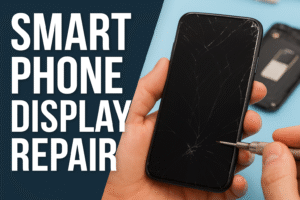
In today’s blog, we will learn in detail—
Causes of smartphone display damage
Screen repair process
Difference between original and copy displays
Rules for determining the cost of repair
Why it is important to get Smart Phone Display Repair done by a professional
And tips for taking care of the display
Let’s get started.
What is Smart Phone Display Repair?
Smart Phone Display Repair is the process of repairing the damaged or broken screen of a smartphone and making it usable again. There are usually three types of repair work:
Front Glass Replacement – if only the glass is broken
Full Display Replacement – if the display, touch or color is damaged
Touch Digitizer Repair – if the touch does not work
If the display repair is not done properly, bigger problems can arise in the future. Therefore, it is very important to take the phone to an experienced technician.
Common causes of smartphone display damage
1. Dropping the phone
The biggest reason for Smart Phone Display Repair is that the phone cracks or breaks after falling.
2. Water or liquid damage
Black spots, lines or touch problems can appear on the screen due to water.
3. Excessive pressure
The screen is damaged if the phone is under heavy objects in the bag.
4. Temperature effects
The display spot may fall off in excessively hot or cold environments.
5. Factory defect
- Sometimes, screen problems occur even on new phones.
- Signs of a damaged smartphone display
- Cracks on the screen
- Blurred colors
- Lines on the screen
- Touch not working
- Ghost touch
- Black or yellow spots
- Screen completely black
- If you see these signs, you definitely need Smart Phone Display Repair.
How is Smart Phone Display Repair done?
1. Diagnosis
- First, the phone is checked—
- Glass or display—which is damaged
- Is the touch working or not
- Is the backlight on the screen okay or not
2. Opening the phone
The phone is opened slowly using expert tools. Modern phones have strong adhesives, which need to be heated to open.
3. Removing the damaged screen
The touch connector and display connector are checked by separating the screen.
4. Installing the new display
Before installing the new display, touch, color, brightness are all tested.
5. Assembling the phone
After setting the display, the phone is turned off and the entire performance is tested.
These steps can only be done correctly by a professional technician. Installing the screen incorrectly can cause more damage.
Difference between original and copy display
Original (OEM) display:
- Color is perfect
- Touch is smooth
- Battery life is good
- Long-lasting
Copy display:
- Color is a bit faded
- Touch may not be very sensitive
- Low price
- Low durability
- You can choose from two according to your budget. But for a long-lasting solution, original display is better.
How is the cost of Smart Phone Display Repair determined?
The price of display repair depends on—
1. By brand:
iPhone → higher price
Samsung AMOLED → higher price
Xiaomi/Oppo/Vivo → comparatively lower
2. By display type:
LCD
OLED
AMOLED
Super AMOLED
3. Original or copy set
Original display is naturally more expensive.
4. By model year
The price of new phone screens is higher.
Why should you get Smart Phone Display Repair done by a professional?
1. Proper tools and skills
There is a risk of damaging the phone’s motherboard if you do DIY.
2. Setting the display properly
No bubbles, gaps, touch lag.
3. Warranty is available after repair
Many service centers offer a 3–12 month warranty.
4. Other parts of the phone’s interior are protected
Experienced technicians do not allow other sensors and cables of the phone to be damaged.
Things to check after Smart Phone Display Repair
Touch response
Brightness
Color sharpness
Front camera
Sensor
Fingerprint or Face ID
No display gap
If everything is fine, you will know that the repair has been successful.
What to do to prevent smartphone display damage
✔ Use tempered glass
✔ Use thick silicone or shockproof cover
✔ Do not keep the phone in your pocket
✔ Minimize phone use near water
✔ Do not use the phone in high temperatures
✔ If you keep the phone in a bag, keep it in a separate chamber
Conclusion
The smartphone display is the most important part of the entire phone. Therefore, if you see a small problem on the screen, do not ignore it and get Smart Phone Display Repair done quickly. Using the original display and an experienced technician will make your phone work as fast as before.